


AI SDK Profiler DevTools
A Rozenite plugin that captures Vercel AI SDK spans and surfaces them in Rozenite DevTools. Inspect requests, inputs, outputs, provider metadata, and latency.
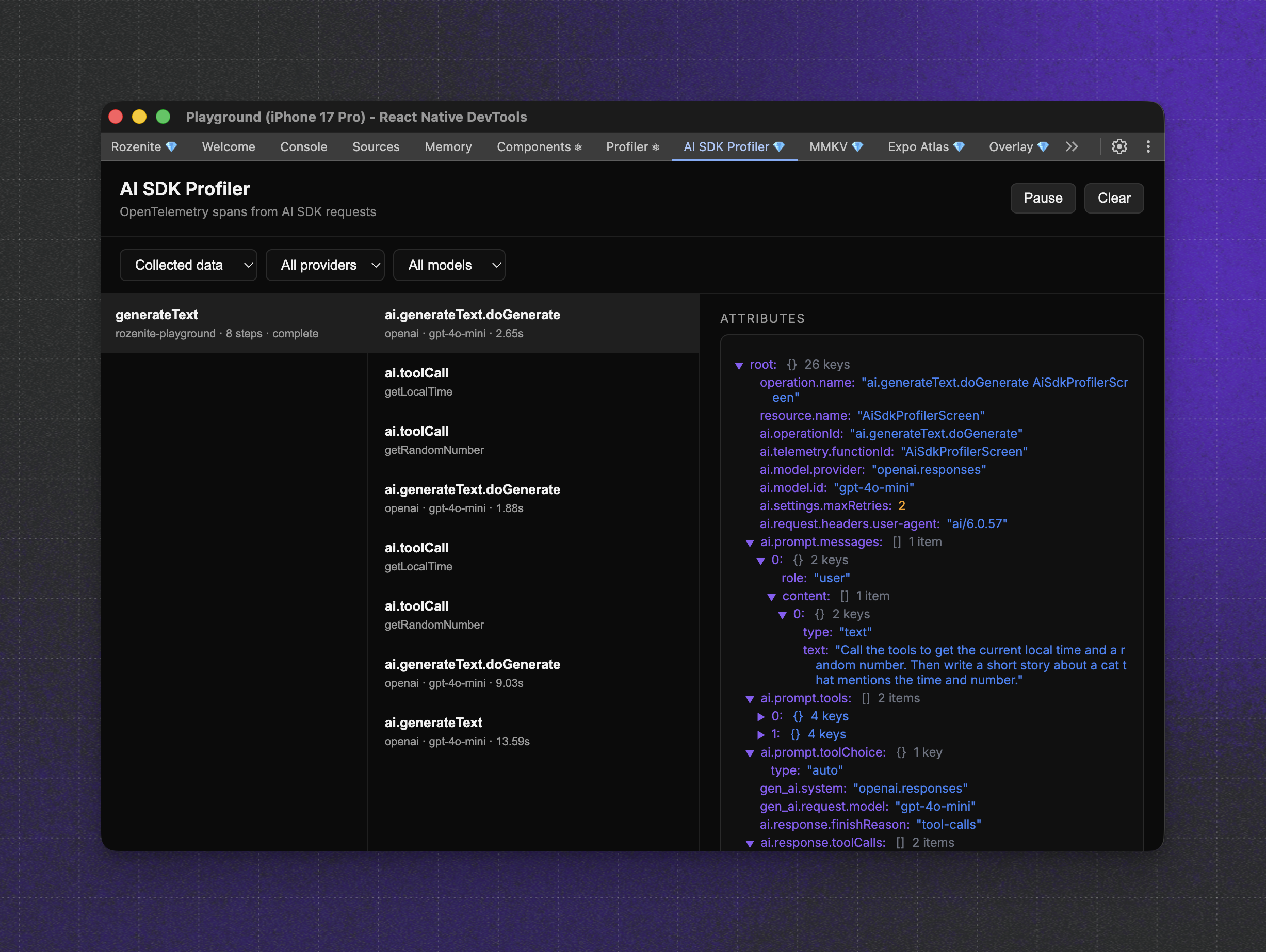
DevTools are runtime agnostic, so they work with on-device and remote runtimes.
Installation
Rozenite setup
This plugin requires Rozenite to be installed and enabled in your app. Follow the Rozenite getting started guide to install and configure it: https://www.rozenite.dev/docs/getting-started
Quick Start
1. Initialize the tracer and DevTools hook
2. Enable AI SDK telemetry on requests
3. Open DevTools
Start your development server and open Rozenite DevTools. Select AI SDK Profiler to inspect the spans.

Need React or React Native expertise you can count on?
Need help with React or React Native projects?
We support teams building scalable apps with React and React Native.